



Mobile Printing
Print directly from your mobile device while in the library or send your print job from home using a laptop or computer. You may pay with credit/debit card, Apple Pay, Google Wallet or cash. Black & white single-sided printouts cost 15¢ each. Color single-sided printouts cost 50¢ each. If you are paying in cash, please note that the Change Machine will not take anything higher than a $5 bill.
Printing From Your Mobile Device in the Library
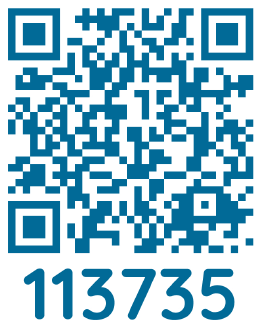
Use the QR Code below to print from your mobile device at the Printing kiosk:
Print Remotely from Home Using a Laptop or Computer:
Go to Mobile Printing to upload your document. You may pay online with credit/debit, Apple Pay and Google Wallet before your library visit or pay with cash at the kiosk. After submitting the print job, you will be provided with a 4-digit print release code. Visit the print kiosk in the library and enter your 4-digit code to release your job.
To Print an Email or an Email Attachment:
Forward or send the email to the printer's email address. This will print both the body of the email and the attachment.